Personal Project
Kakeibo Budget App
A cross-platform personal finance app built on Kakeibo principles — with multi-currency tracking, OCR receipt scanning, 5 account types, monthly reflections, CSV import/export, and both offline guest mode and cloud-synced auth.
Built to solve my own financial tracking friction living between Japan and Indonesia. I needed something fast enough to use at checkout, honest about spending categories, multi-currency aware without being a bank app, and zero-friction from day one — no mandatory sign-up. The Kakeibo framework groups expenses into Needs, Wants, Culture, and Unexpected, making monthly review feel purposeful rather than granular.
Core goal
Daily usability, not feature count
The app had to be fast to open and fast to add a transaction. Multi-currency, OCR, goals, and CSV export were all built around that core daily habit loop — never blocking it.
Stack
Expo + Supabase
React Native Web via Expo Router for cross-platform coverage; Supabase Auth + PostgreSQL for sync; Zustand + IndexedDB/SQLite for offline.
Multi-currency
7 currencies + live rates
JPY, USD, EUR, GBP, IDR, CNY, KRW. Live rates from open.er-api.com convert all account balances and transactions to the display currency in real time.
Account types
5 wallet types
Cash, bank, credit card, e-money, and investment accounts — each with its own currency, initial balance, and optional closing/payment day for credit.
OCR pipeline
Credit-gated receipt scanning
Camera → server-side OCR → merchant/date/total pre-fill. Supabase RPC consume_scan_credit deducts one credit per scan; billing-exempt accounts scan free.
App screenshots
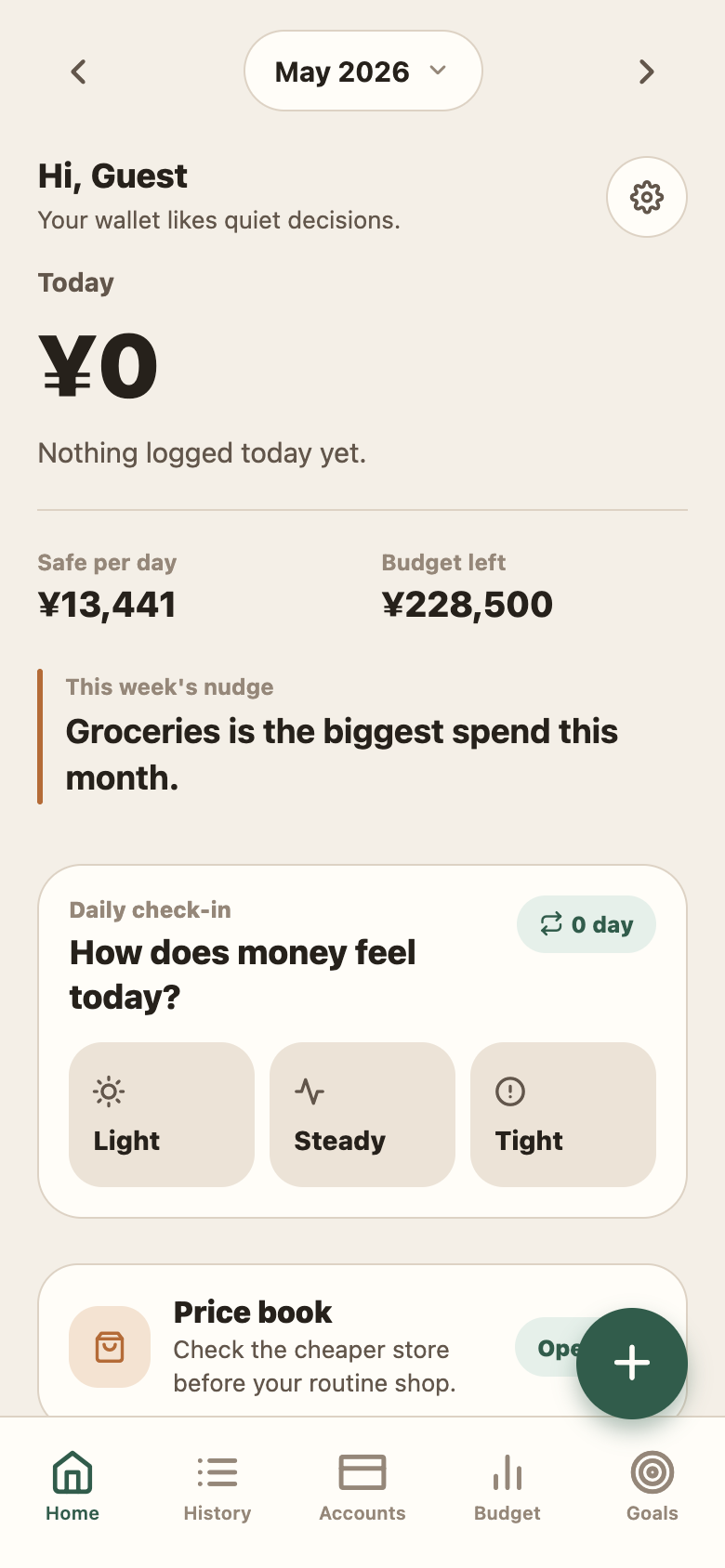
Dashboard — safe daily spend, budget left, weekly nudge, and daily mood check-in
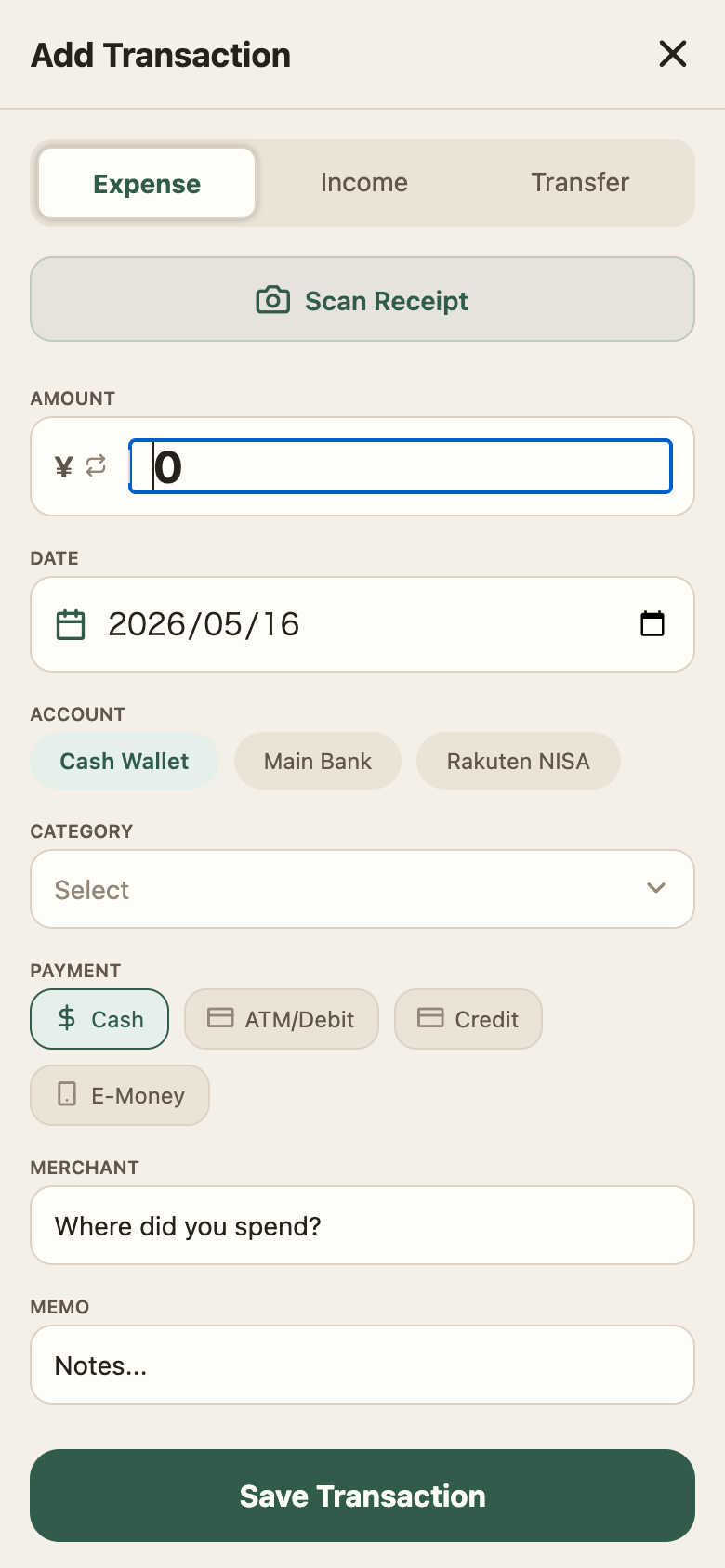
Add transaction — Scan Receipt (OCR), multi-account picker, payment method
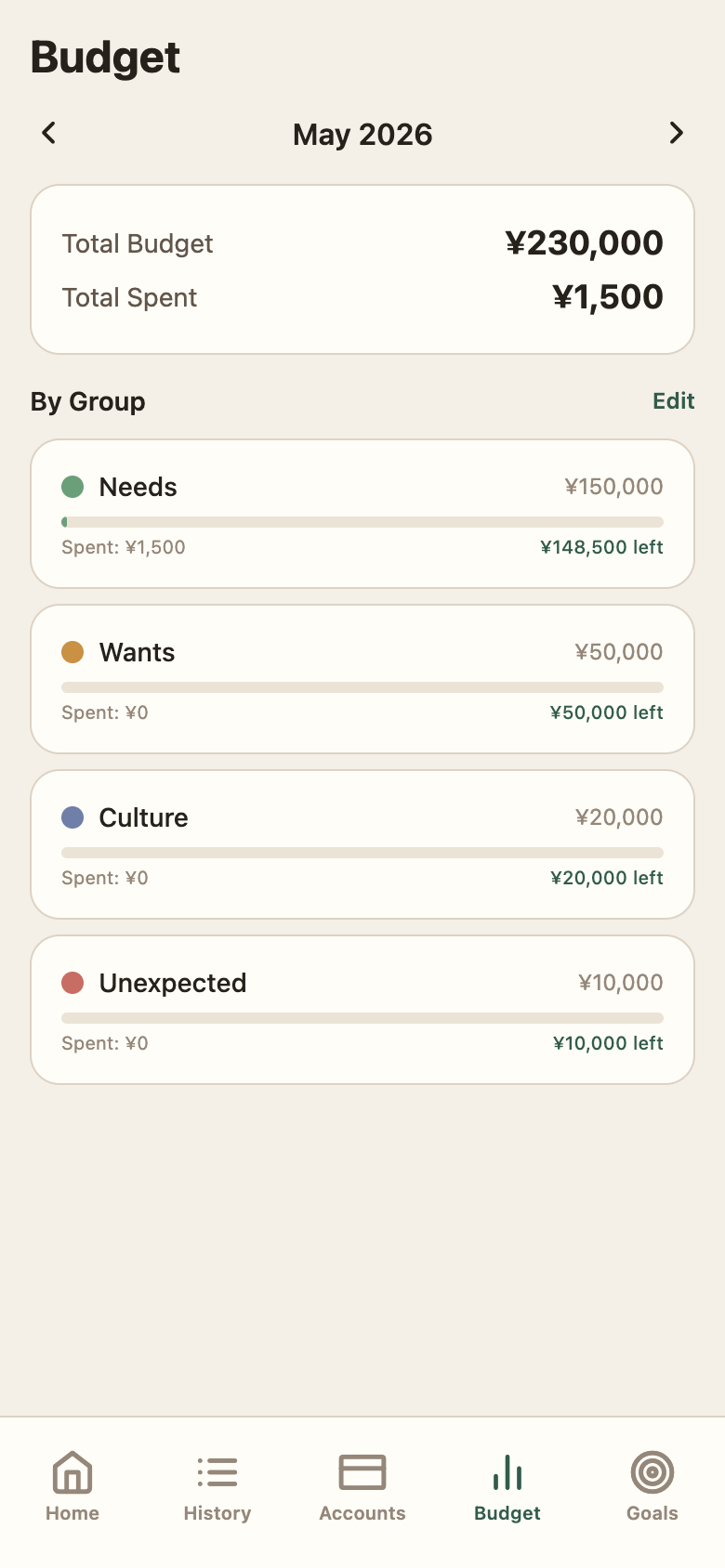
Budget — Kakeibo groups (Needs / Wants / Culture / Unexpected) vs. actual spend
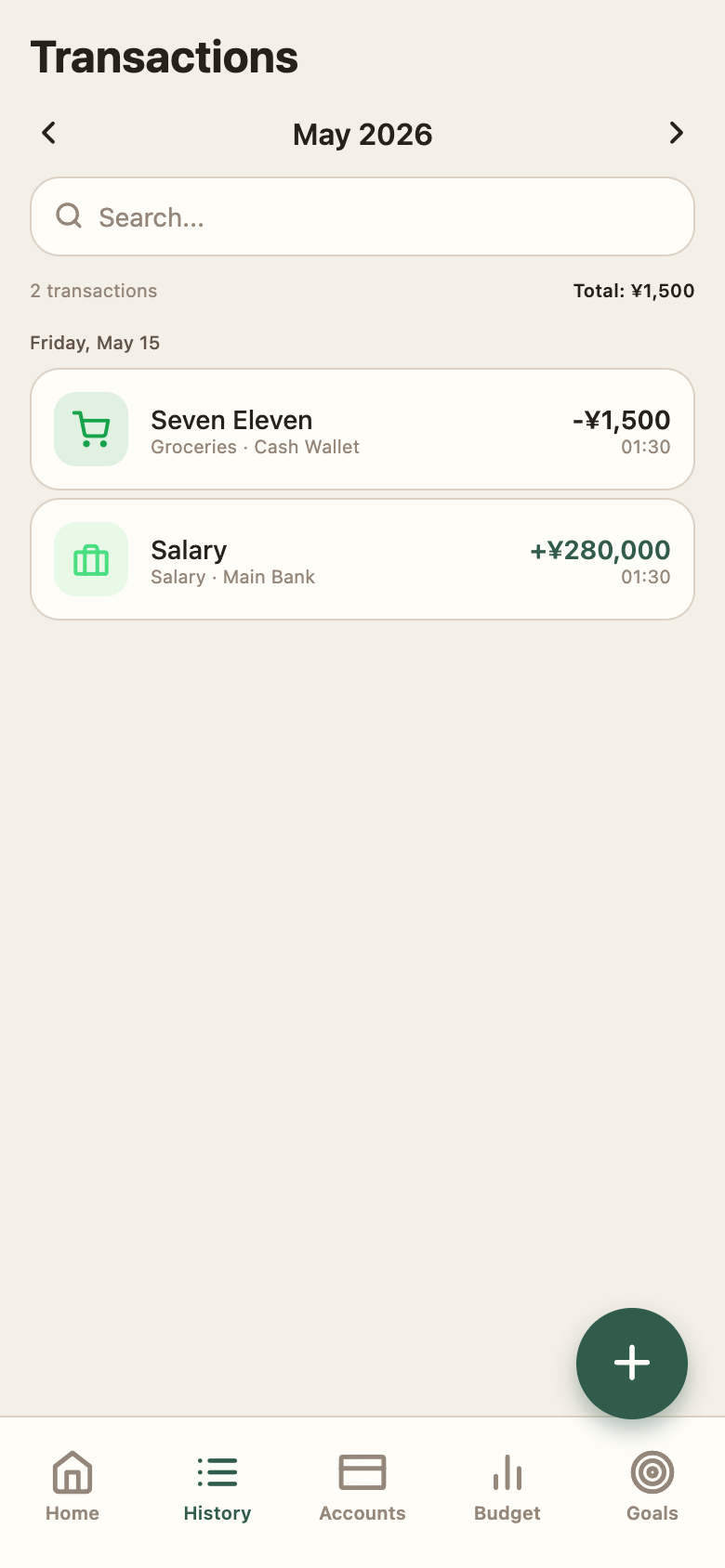
History — transactions grouped by date with category and wallet context
01
The Problem
Existing budgeting apps were either too complex — mandatory bank connections, account setup, and multi-step onboarding — or too simple to support real spending reflection. Living between Japan and Indonesia added a currency dimension most apps ignore entirely: converting receipts between JPY and IDR manually is friction that kills the habit. I wanted Kakeibo-style category discipline, multi-currency awareness, and a fast-add flow that worked at the register.
02
Multi-Currency Architecture
Every account has its own currency. Every transaction stores both original amount + currency and the display-currency equivalent. On load, the store fetches live exchange rates from open.er-api.com and runs convertAmount() across all transactions for consistent totals. The display currency is a user setting — switching it re-converts everything in memory without touching stored data.
- Per-account currency: each wallet tracks its own denomination independently
- convertAmount(amount, from, to, rates) runs on every aggregation — dashboard totals, group spending, net worth
- Live rates fetched in background on app init; fallback constants (JPY:1, IDR:107) prevent blank states
- originalAmount + originalCurrency preserved on every transaction for accurate historical records
03
Cross-Platform Storage
Expo Router with React Native Web runs one codebase on both native and browser. The Repository interface abstracts the storage layer: expo-sqlite on native, a custom IndexedDB-backed web repository in the browser. Zustand hydrates from whichever repository is active, so the rest of the app never knows the difference.
- Repository interface: getTransactions, addAccount, updateBudget, getReflections — same API everywhere
- Dual storage backend: SQLite on native, IndexedDB-backed web repository for browser
- Zustand store hydrates from the active repository on initialize(); guest mode uses local, auth mode uses Supabase
- Vercel deployment with vercel.json SPA rewrites for clean URL routing
04
Auth, Guest Mode, and Billing
The app launches in guest mode by default — fully offline, no sign-up. Supabase magic link OTP is available for cloud sync but never forced. A billing layer (Supabase user metadata) gates the OCR scan feature behind a credit balance and CSV export behind a paid unlock, while keeping the core tracking loop free.
- Guest mode: Zustand + local repository, zero network dependency, no commitment barrier
- Supabase magic link OTP — no password management, deep-link re-entry preserved post-auth
- consume_scan_credit Supabase RPC deducts credits atomically per OCR scan
- CSV export locked behind billing role check; billing_exempt flag for owner accounts
05
Full Feature Surface
Beyond core tracking: transfer transactions move money between accounts and update both balances. Duplicate detection (amount + date + merchant) flags accidental double-entries before save. Merchant keyword mapping auto-suggests categories from known merchant names. Monthly reflections (what worked / what overspent / what changes) add a journaling layer. No-spend day tracking surfaces clean days on the dashboard.
- Transfer transactions: income/expense/transfer types with toAccountId for balance updates on both sides
- checkForDuplicate() matches amount, date, and merchant before any add — surfaced as a warning, not a block
- merchantKeywords map in settings auto-suggests category on merchant name input
- Reflection model: whatWorked / whatOverspent / whatWillChange, saved per month
- CSV import with suggestMapping() — auto-maps columns by header name heuristics
- i18n support: English, Indonesian, Japanese — switchable live from settings
06
Outcome
A cross-platform budgeting app I use daily across JPY and IDR. The guest mode removed the sign-up barrier. Multi-currency conversion makes mixed-currency months legible at a glance. Kakeibo groups turn monthly review into a 2-minute reflection rather than a spreadsheet audit. The OCR scan flow saves manual entry on konbini and restaurant receipts.
Continue Exploring
Kotoba Tabi is also live.
Each case study covers a different part of the stack — see how the same engineering principles show up across different problem types.